How does Ed.ai track errors in math?
Last updated: October 15, 2026
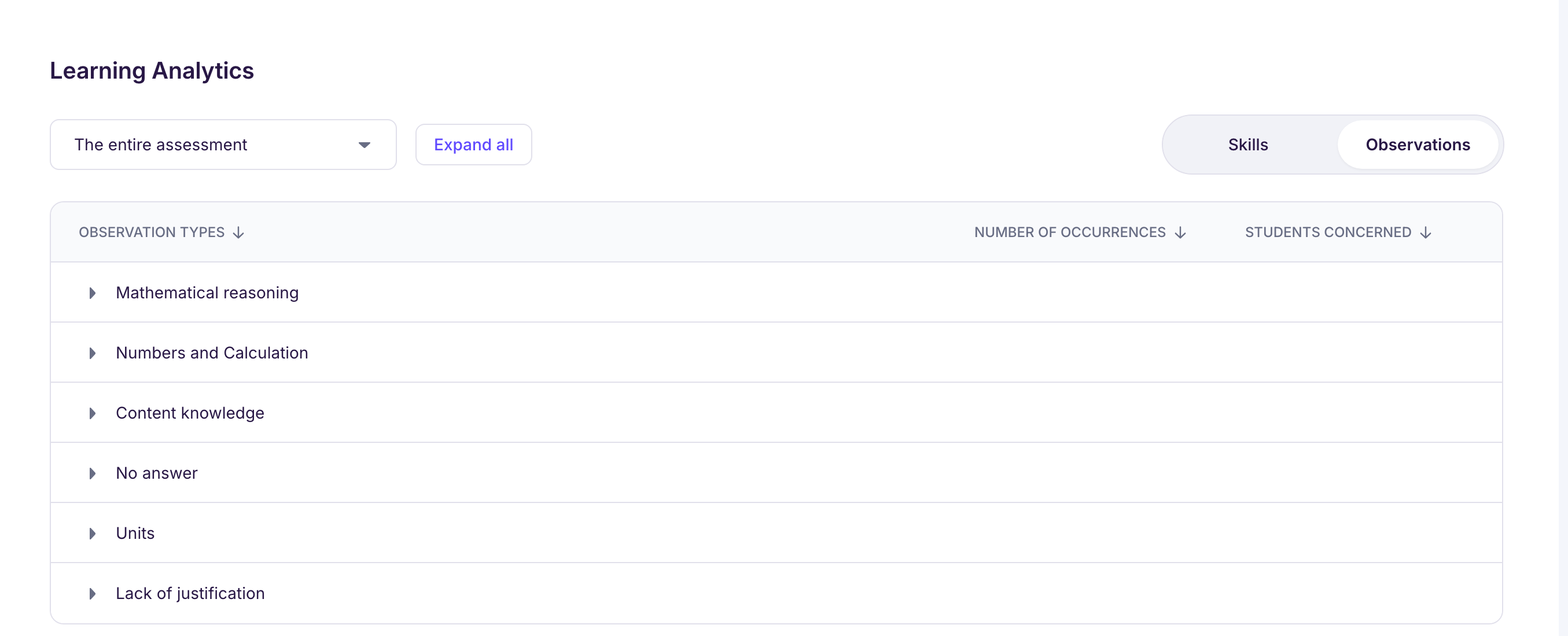
Ed.ai tracks math errors by sorting them into 8 main categories, each split into subcategories:
-
Numbers and Calculation
-
Arithmetic error
-
Sign error
-
Error in order of operations (operator precedence)
-
Implicit multiplication not recognized
-
Expression not reduced/not simplified
-
Rounding error
-
Algebraic manipulation error
-
Mental math strategy error
-
Calculator or spreadsheet error
-
Standard algorithm error
-
Place value or number sense error
-
Follow-through error in a calculation
-
Fluent and efficient computation (positive observation)
-
-
Content knowledge
-
Definition error
-
Error in the theorem/property
-
Formula error
-
Vocabulary error
-
Method error
-
Accurate and precise content knowledge (positive observation)
-
-
Mathematical reasoning
-
Confusion between definition and perception
-
Error in interpreting the result
-
Incomplete reasoning
-
Error in interpreting a graph or reading data
-
Error understanding the problem
-
Modeling error
-
Follow-through error in reasoning
-
Appropriate mathematical model (positive observation)
-
Sound mathematical reasoning (positive observation)
-
Relevant initiative or independent approach (positive observation)
-
Checks the reasonableness of the result (positive observation)
-
-
Written communication
-
Writing error
-
Mathematical notation error
-
Copying error or careless mistake
-
Spelling error of a mathematical word
-
Lack of rigor in presentation
-
Well-organized work (positive observation)
-
Precise mathematical notation and language (positive observation)
-
-
Units
-
Unit error
-
Conversion error
-
-
Incomplete answer
-
Lack of justification
-
No answer
Subcategories marked “positive observation” flag a success rather than an error. They also show up in the analysis, next to the errors.
This error detection pinpoints the types of errors each student makes most often.
🧠 What is error tracking for?
Error tracking helps you better understand where students struggle on the skills and competencies the assessment covers. Cross-checking the error analysis with the skills analysis gives you a full picture of what students have mastered and what they need to work on.
Also, the error categories stay the same all school year, unlike skills, which depend on the units you assess. So you can track errors from one assessment to the next, and see what’s improving and which errors persist.
🎯 How do you use error tracking in Ed.ai?
Error tracking helps you:
-
spot the most frequent errors in a class or for one student, across one or several assessments
-
follow progress and persistent errors over time
-
tell one-off slips from recurring errors
-
target the errors to work on first in reteaching activities
-
build a bank of typical errors that feeds personalized reteaching exercises
🎯 Create a reteaching activity focused on errors
One of the reteaching activities is built around working on errors.
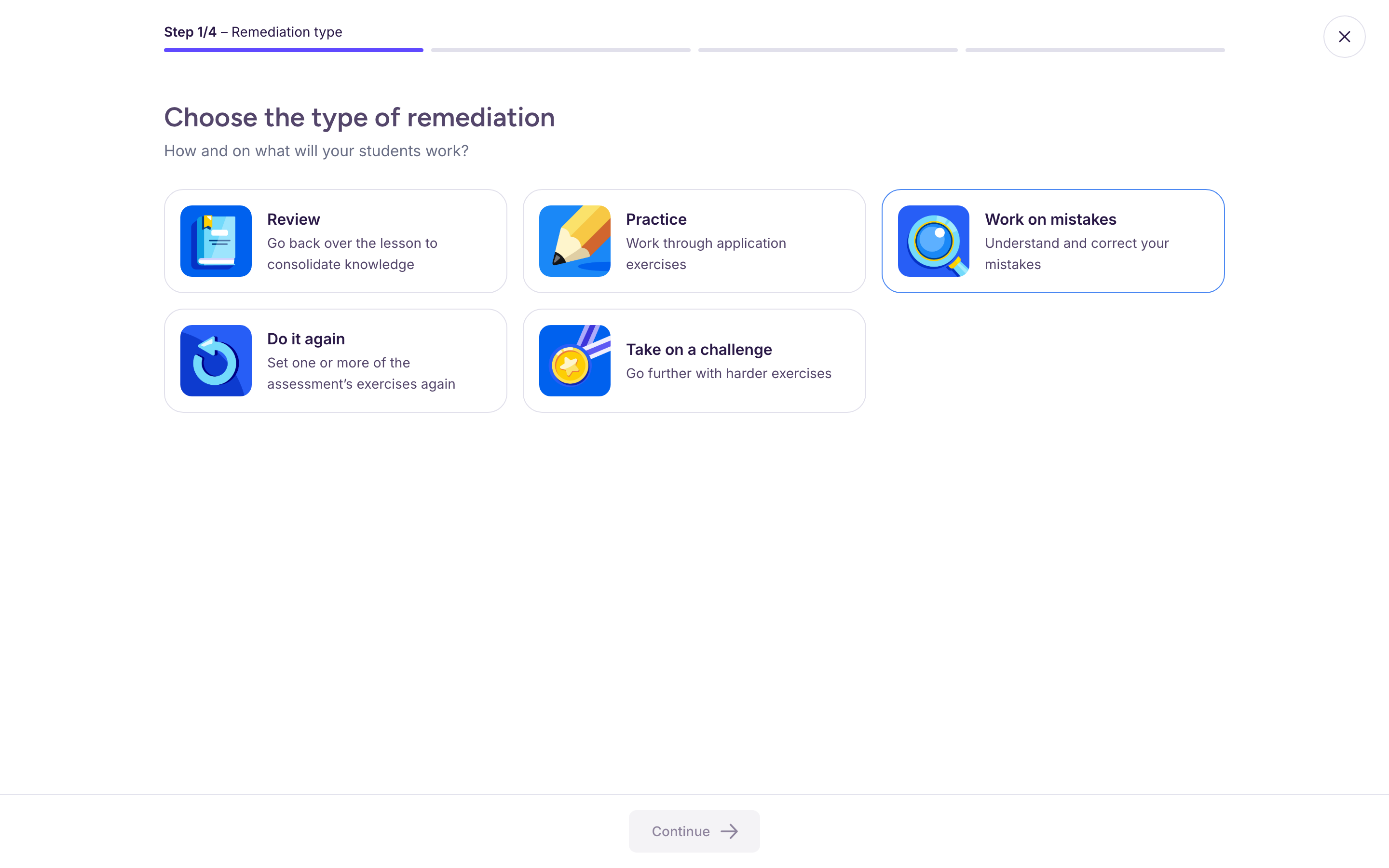
To create it, open your assessment’s “Reteaching activities” tab, click “Generate a Reteaching Activity”, then choose “Work on mistakes”. Ed.ai then builds an activity like this: a problem and a student’s worked solution, containing the typical errors from your assessment. Students have to find the errors, correct them and explain them.
More generally, Ed.ai takes your students’ errors into account to shape the questions in reteaching activities. For example, in a practice exercise, depending on the errors students made on a given skill, the questions focus on the written work, the computation, the method, and so on.