

Can I adjust the grading scale after my papers are graded?
Yes. Once your papers are graded, you can adjust the grading scale: change the points for a question, its criteria or the details of what you expect.
🎯 Example: a question turned out to be too hard or unclear, and most students got it wrong. You can decide to lower its points.
Papers aren't regraded automatically: you choose to regrade them once you've changed the grading scale.
Here's how:
1. Open the assessment and go to the “Assessment documents” tab, where you'll find every document linked to the assessment.
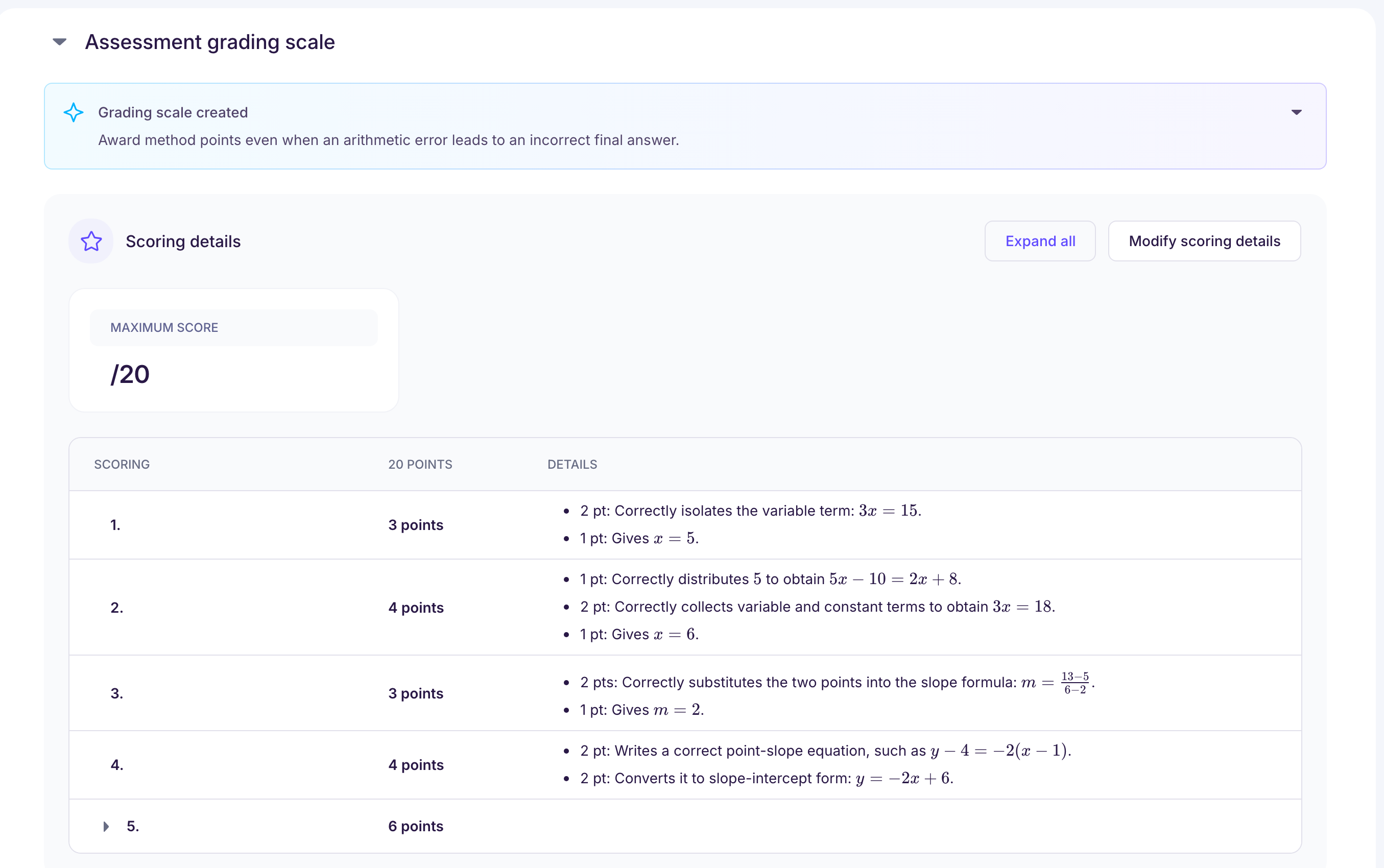
2. In the “Scoring details” section, click “Modify scoring details” (then “Edit manually” if a menu opens): you'll see each exercise and question with its points and grading criteria.
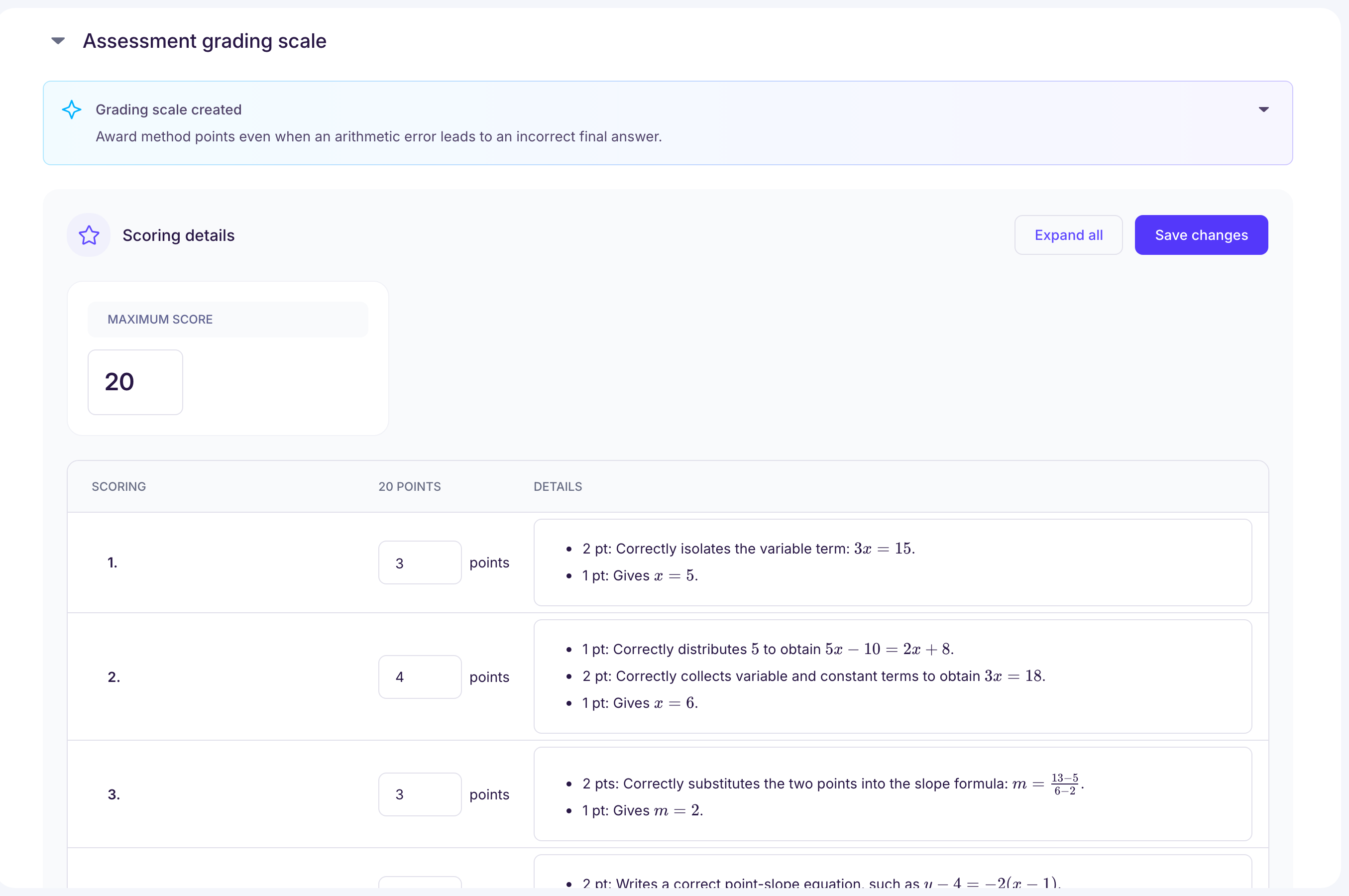
3. Change the points or the criteria
Adjust the scoring (for example, from 1.5 points to 2 points) or edit the details of what you expect, then click “Save changes”.
4. Regrade the papers
A banner then offers “Regrade papers”. Once you confirm with “Replace and regrade”, every paper is regraded with the new grading scale.
⚠️ Before you regrade: regrading replaces the current grading of every paper. Changes you made by hand on the papers (scores, comments, review) are erased, and papers you've already shared are hidden from your students until you share them again.
💡 So the simplest approach is to finalize your grading scale, regrade if needed, and then adjust your papers by hand. If you've already edited your papers and only one question needs to change, change that question's score directly on the papers concerned instead, without regrading: see Comment modifier ou compléter la précorrection proposée par Ed.ai ?.
Edit the grading scale with Ed
Instead of editing each question by hand, you can describe the change to Ed: click “Modify scoring details”, then “Edit with Ed”. Ed can move or change points between questions, rework how a question is graded (penalties, points for units or notation, tolerated errors) or add a criterion for the whole assessment. Ed can then regrade the papers.
Before you change anything: look at a few papers first. A one-off gap is fixed on that paper. A gap that comes back across the class is fixed in the grading scale, then by regrading.
Good to know
To replace the question sheet or the answer key, add the new document in “Assessment documents”, then delete the old one: the assessment and all papers already graded are analyzed again, which also erases changes made by hand.
A question is missing from the grading scale, or the question sheet includes a problem your students didn't do? Fix the question sheet (for example, number the question), then replace it the same way.
Changing the assessment's grading profile (“Assessment grading profile”) also restarts the creation of the grading scale and the grading of all its papers.