How do I quickly find the questions students struggled with most?
Last updated: October 15, 2026
To find the questions or exercises your students found hardest, use the exercise filter in the results analysis of an assessment.
🧭 In your assessment’s “Insights” tab, in the “Learning Analytics” section:
-
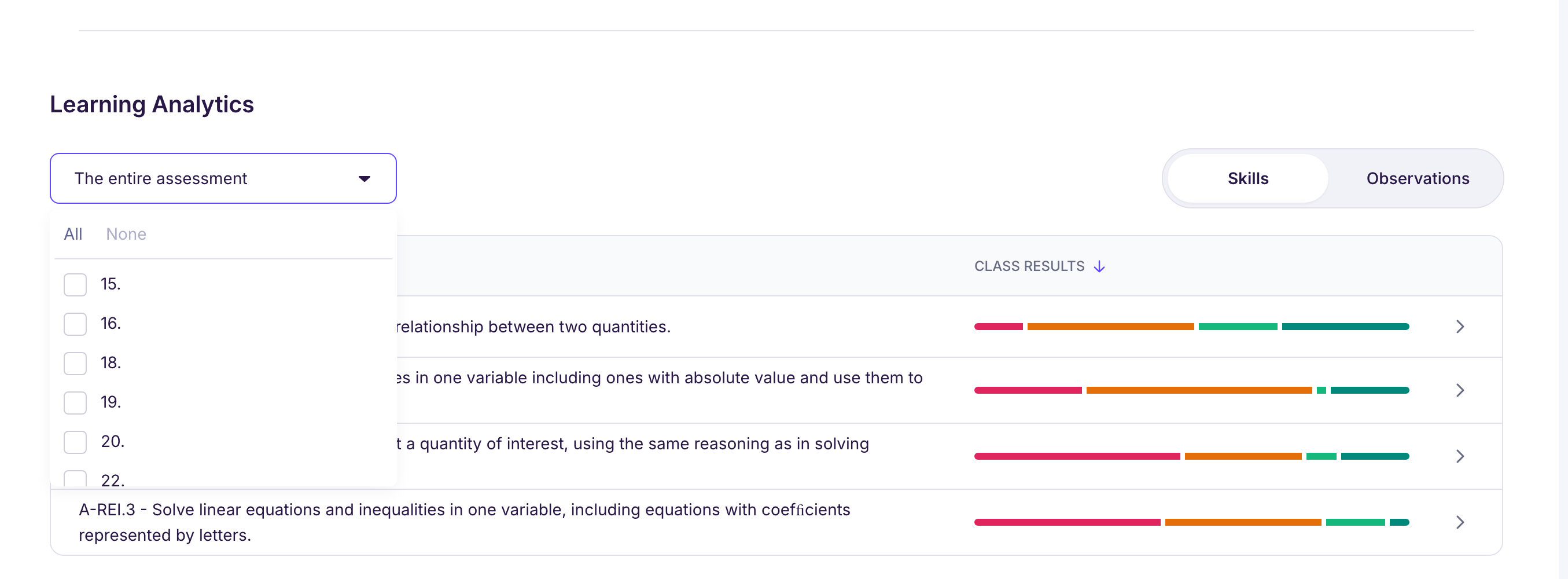
Click the “The entire assessment” dropdown to filter the results by exercise (you can check one or more).
-
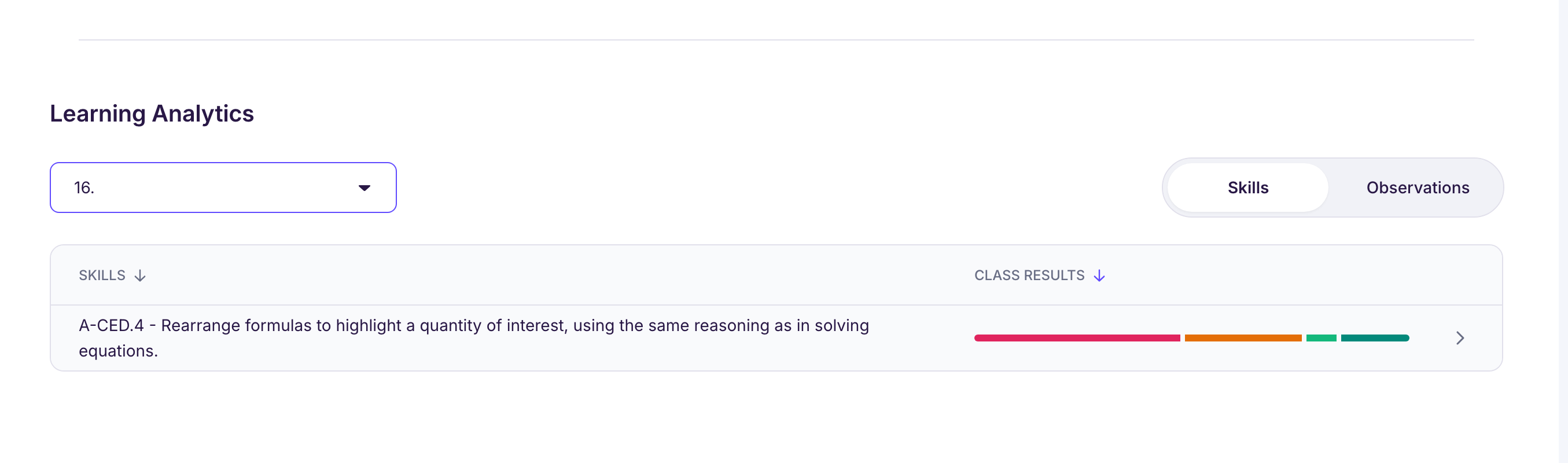
You can then compare how students did from one exercise to the next, with their mastery level on each skill involved.
📊 This helps you quickly spot:
-
The least successful exercises,
-
The most discriminating exercises, the ones that best separate students who’ve got it from those who haven’t,
-
Skills shared by several exercises, for a view across the whole assessment.
The “Observations” view, next to “Skills”, adds the most common error types, with how many students each one affects.
🔎 If you grade with scores, you can also compare questions with each other: in the “Results” section, click “View detailed results”. The “Class results details” table shows each student’s score, question by question.
💡 With the “Explore with Ed” button, Ed can also tell you which questions were the least successful or the most discriminating, so you can target exactly what to reteach.