How do I return graded papers to my students?
Last updated: October 15, 2026
You decide when and how your students get their results back. Nothing reaches them until you act: in the assessment's “Student papers” tab, click “Release graded papers”.
Ed.ai gives you several ways to return graded work, from fully digital to fully paper, so it fits your routine and your students.
-
Online access to the graded paper, with the full grading detail
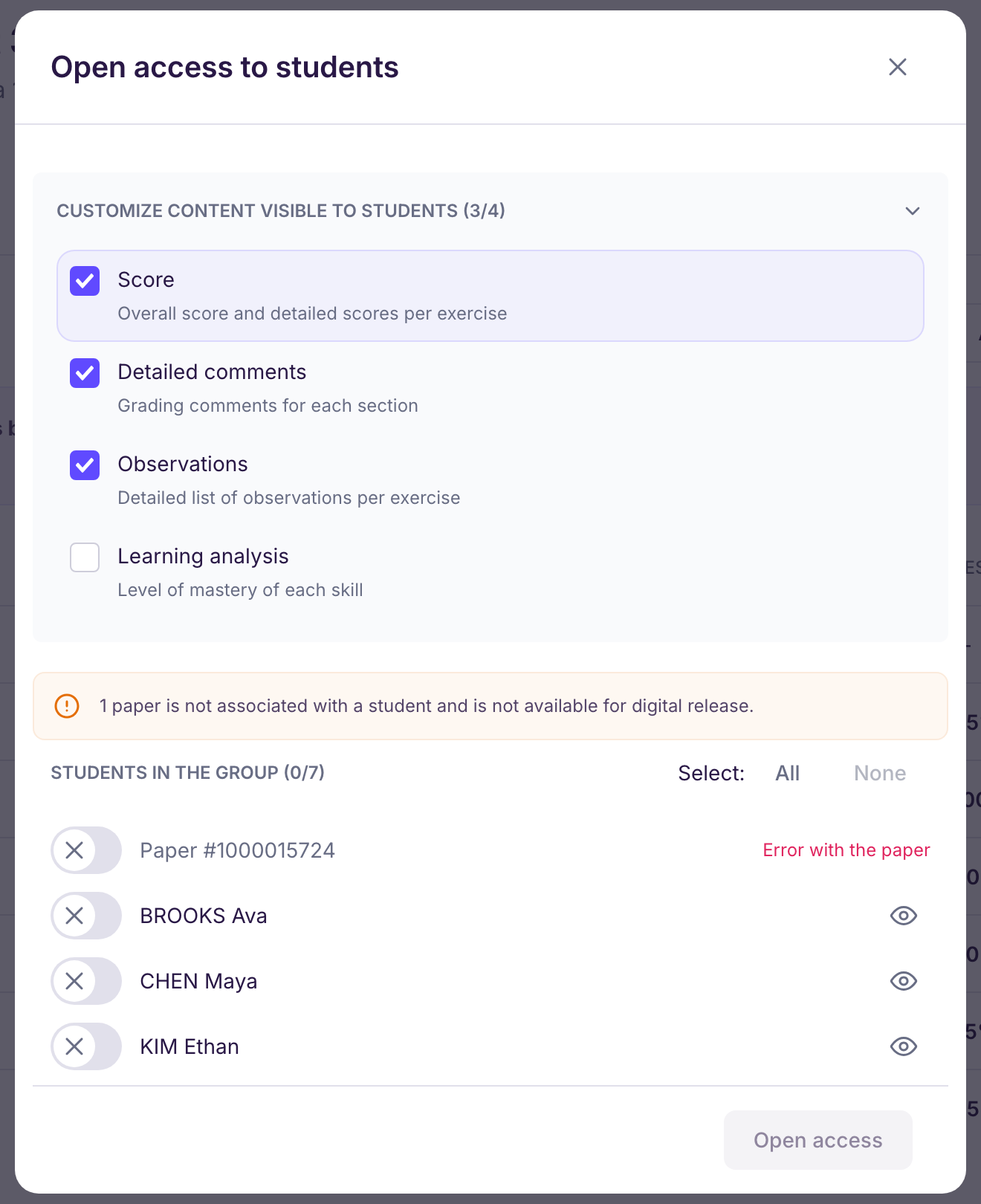
With “Open access to students”, each student sees their graded paper, their points and your personal comments when they sign in to Ed.ai. You choose what they see: score, detailed comments, observations, learning analysis. Only papers matched to a student in the assessment's group can be shared this way: see Comment associer manuellement une copie au bon élève ?. Once a student opens their paper, its status changes to “Graded paper viewed by the student”. Online access isn't available on the free plan.
-
A summary sheet to print or share
With “Download as PDF”, you get one summary sheet per student (score, comments, graded paper, analysis… as you choose), to print and hand back with the student's paper, or to post on your learning platform.
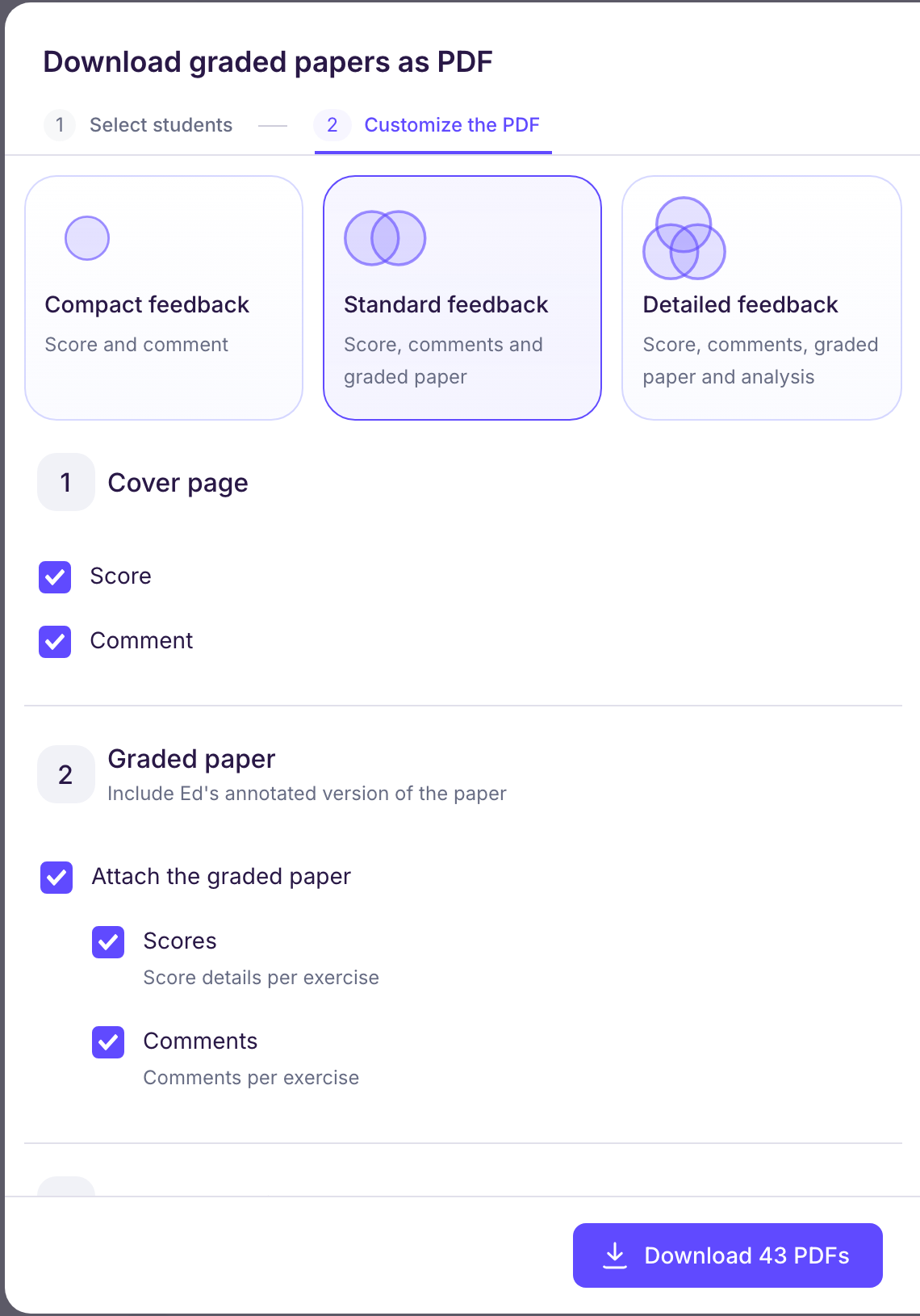
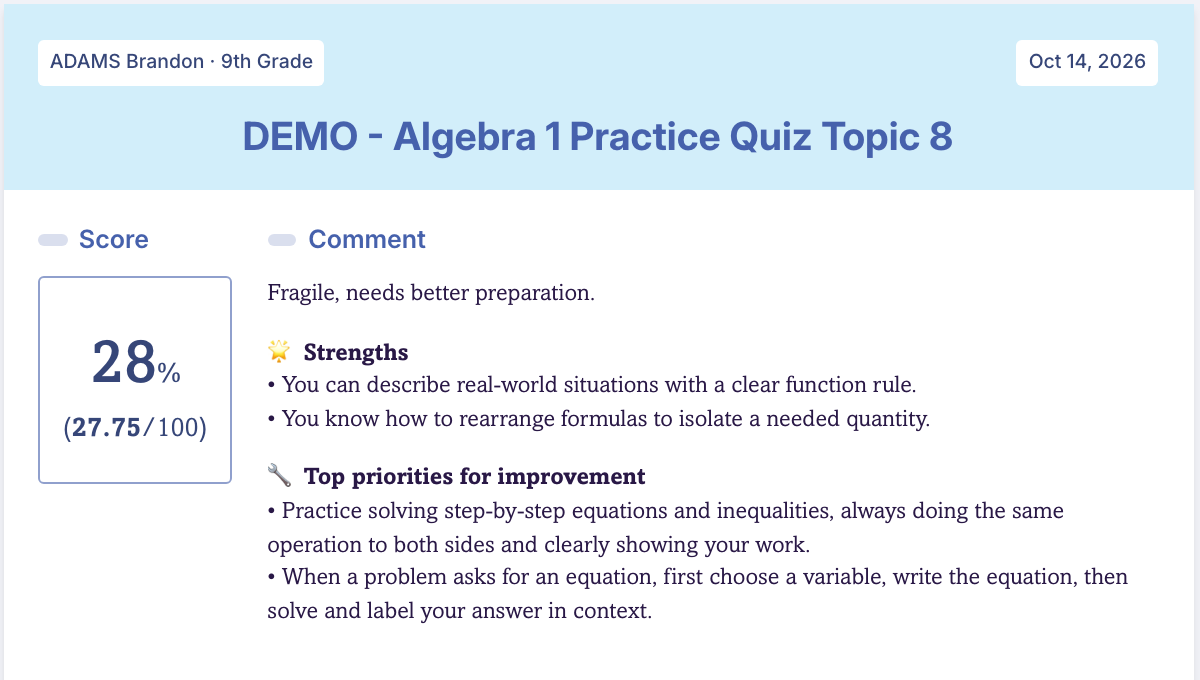
The sheet opens with a cover page that shows the score and the comment.
If you want to take individual support further, right when you return the papers, you can also include the paper analysis: detailed results table, observations per exercise and skills analysis table.
-
Results sent to your LMS
If your school connects Ed.ai to its LMS, “Send to” followed by the name of your LMS (for example “Send to Canvas”) sends each student's score, Ed.ai's comment and a PDF of the graded paper to their submission, depending on what your LMS supports.
-
Traditional grading, backed by Ed.ai
Prefer to mark papers by hand with your red pen? You can: scan them first, before you write on them, because papers that are already marked can't be processed. 👉 You get Ed.ai's analysis and keep your handwritten feedback.
🎯 The goal: give feedback that is clear, differentiated and easy for students to understand, while you stay in control from start to finish.
Ed.ai imposes nothing: your practice, your pace, your format.