How does grading work in Ed.ai?
Last updated: October 15, 2026
Ed.ai grades your students' work in two steps: first your assessment, then your students' papers. Every grade is a proposal that you review before anything reaches your students.
1. Ed.ai analyzes your assessment
-
What happens: Ed.ai reads your question sheet, answer key and grading scale, and builds a detailed grading scale that you can review and edit.
-
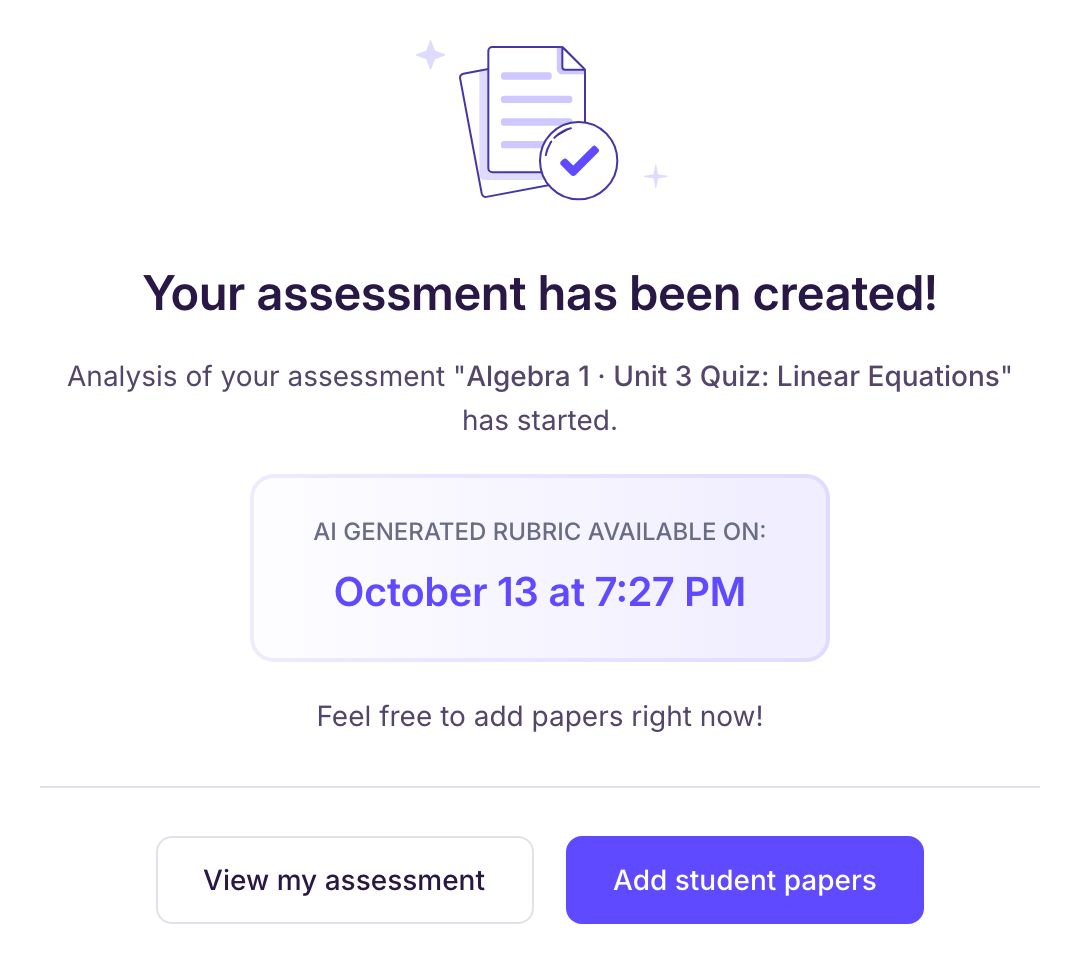
Time: under 20 minutes. Right after you create the assessment, the confirmation screen shows when it will be ready, under “AI generated rubric available on:”. We email you as soon as the analysis is complete.
-
You don't have to wait: you can add your students' papers right away.
2. Ed.ai grades your students' papers
-
What happens: each paper is graded against the grading scale of the assessment and your grading profile.
-
Time: within 30 minutes after you add the paper. If you add papers while the assessment is still being analyzed, count 30 minutes after the analysis is done. With “Batch import” (several papers in one PDF), allow up to 15 extra minutes.
-
We email you when all the papers of the assessment are graded.
3. You review and return the papers
You check the grading, edit anything you want, then decide when and how to return the papers to your students.
Track progress
In the “Student papers” tab, each paper being graded shows when its grading will be ready: “Correction available on…”. If that time has passed, the paper shows “Grading in progress - Late”: email us at contact@ed.ai with the name of the assessment.