How do I duplicate an existing assessment?
Last updated: October 15, 2026
From “My assessments”, you can duplicate an assessment in a few clicks to reuse it with another group or class period.
Here’s how:
-
Open the assessment you want to duplicate.
-
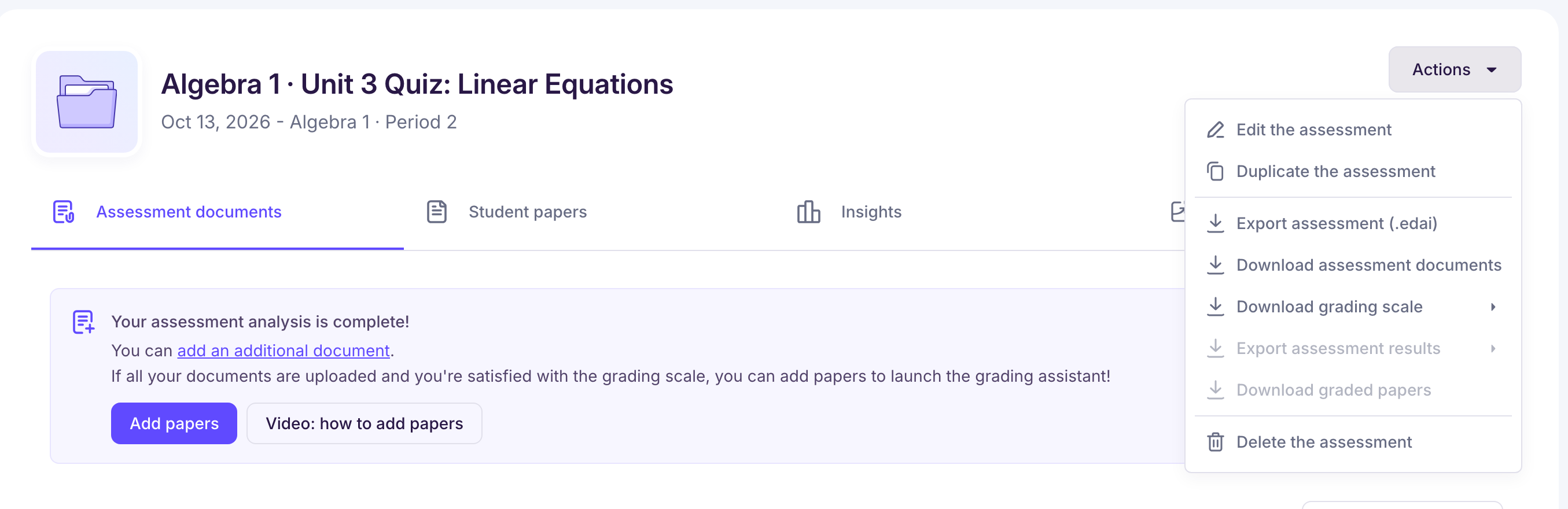
Click the “Actions” button at the top right of the screen.
-
Select “Duplicate the assessment” from the menu.
-
Choose one or more groups, rename the assessment if needed, then click “Duplicate”. If you choose several groups, one assessment is created for each of them.
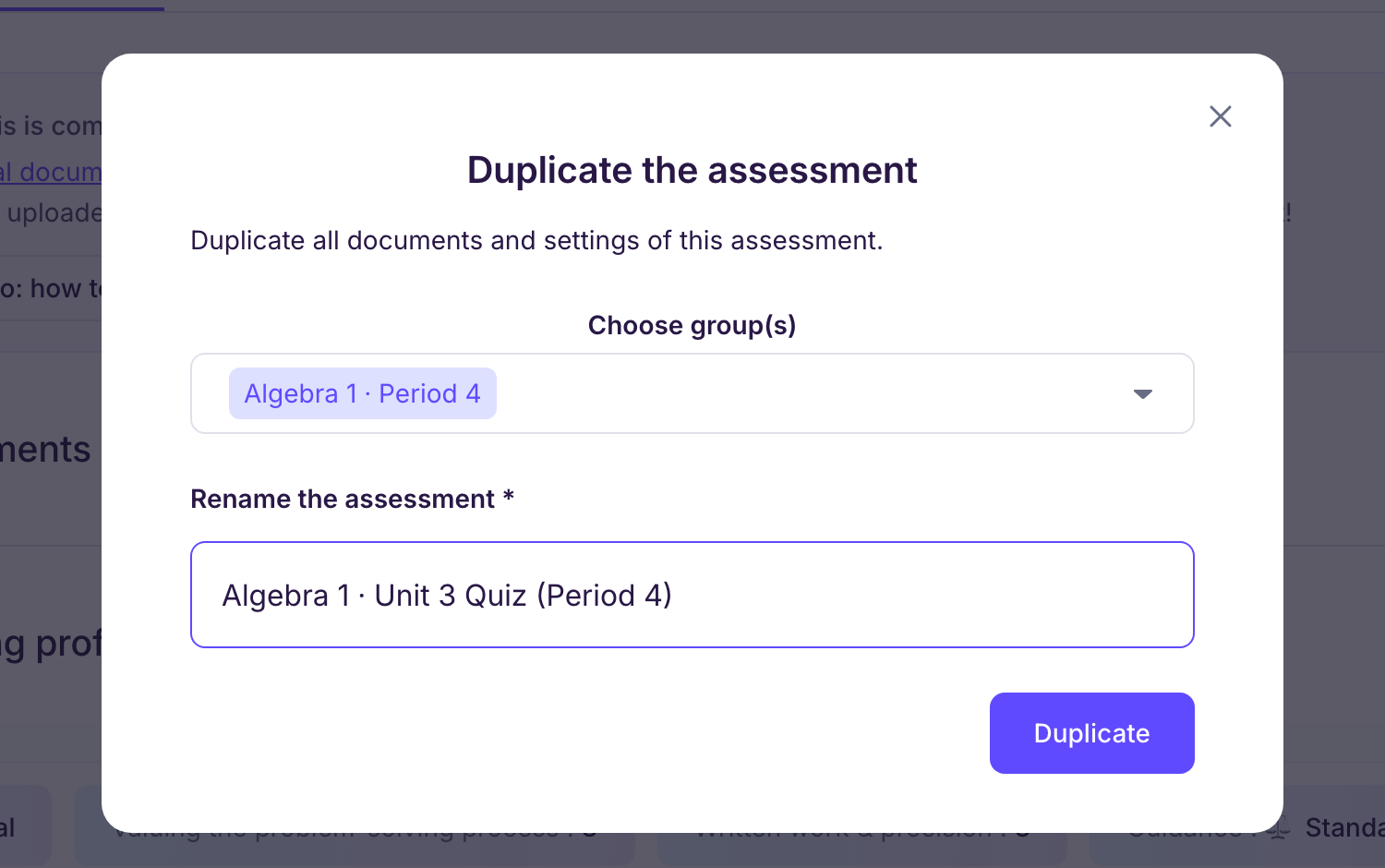
The duplicate keeps everything automatically: documents, grading scale and answer key.
You can then adjust whatever you want: the title, the instructions or the target group.