How do I fix a page that was added to the wrong student’s paper?
Last updated: October 15, 2026
If you notice that a page ended up in another student’s paper, here’s how to fix it in a few clicks:
-
In the menu of the paper that holds the wrong page, select “Edit paper”
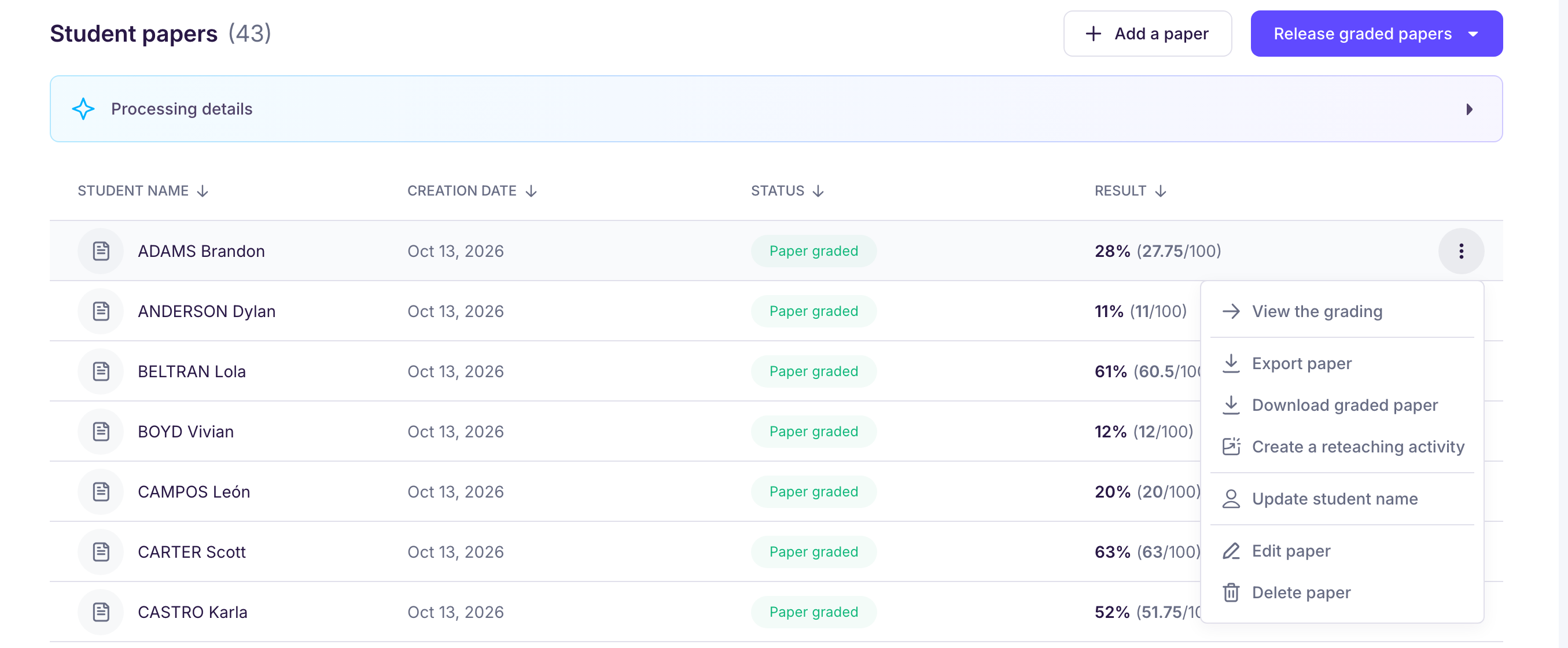
-
In the paper editor, you can:
-
open the list of papers, with the name of the student identified for each one
-
delete a page, for example if you scanned the same page twice
-
move a page to another student’s paper
-
experiment freely: if you make a mistake, go back with the “Undo” and “Redo” buttons
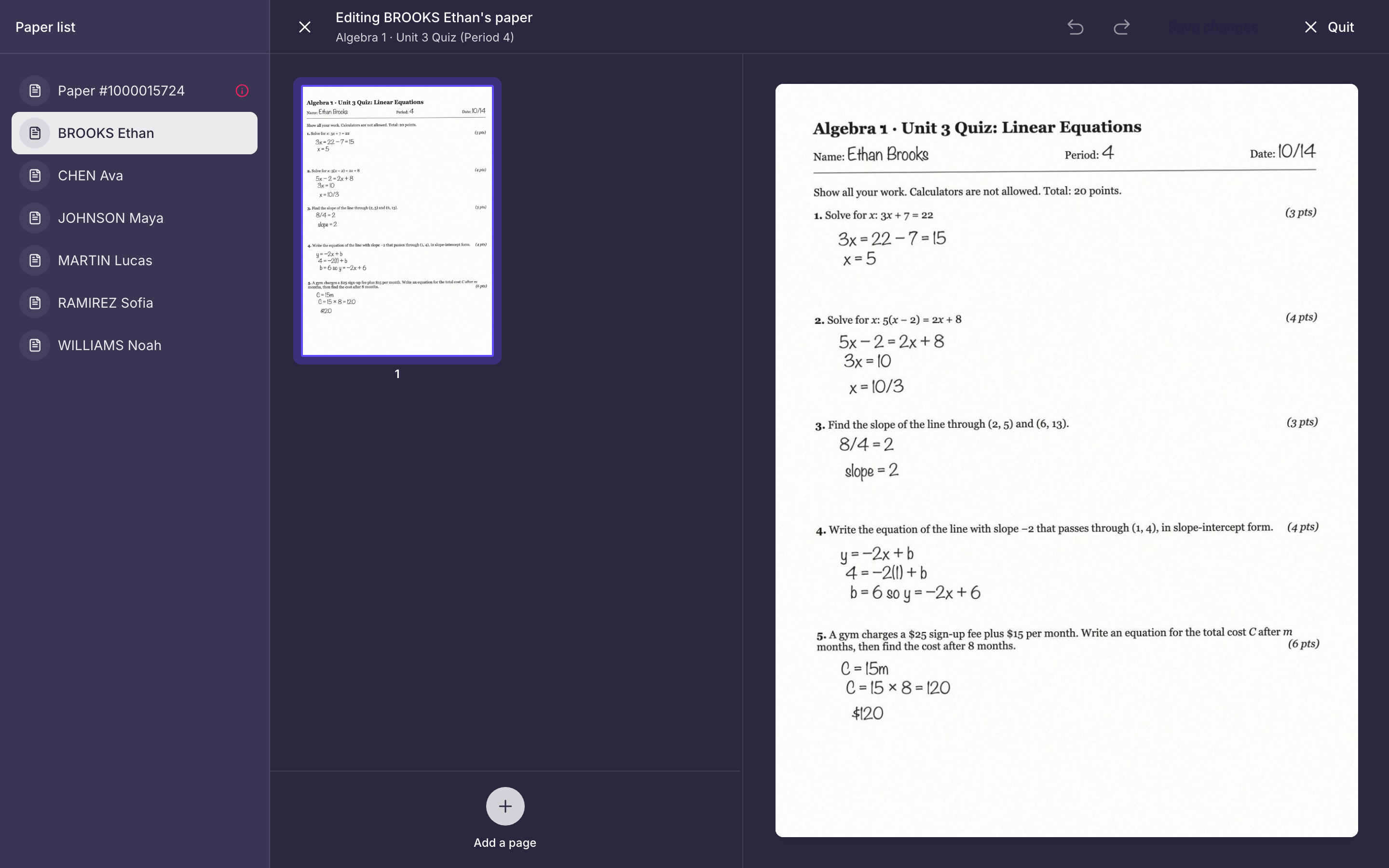
-
-
The order of the pages within a paper doesn’t matter: Ed.ai sorts them out on its own
-
Don’t forget to click “Save changes” at the end: the papers you changed are graded again, and any adjustments you made to them by hand are lost