How does grading scale extraction work?
Last updated: October 15, 2026
1️⃣ What does “grading scale” mean in Ed.ai?
In Ed.ai, a grading scale can be:
-
a points-based grading scale (e.g., 2 points for setting up the equation, 1 point for the answer),
-
or a rubric (e.g., “Reason abstractly and quantitatively”, “Construct viable arguments”).
👉🏼 Ed.ai handles both formats and uses them as the basis for its analysis.
2️⃣ Is a grading scale required?
No, but it’s strongly recommended.
When you create your assessment, you can add a grading scale (points-based or competency-based). It:
-
gives the AI a structure for grading,
-
gives you a clear framework you can edit at every step,
-
aligns the scoring with your own expectations.
📌 If you don’t add one, you can always create one later, or edit the one Ed.ai builds automatically.
3️⃣ Can Ed.ai work with a partial grading scale, or none at all?
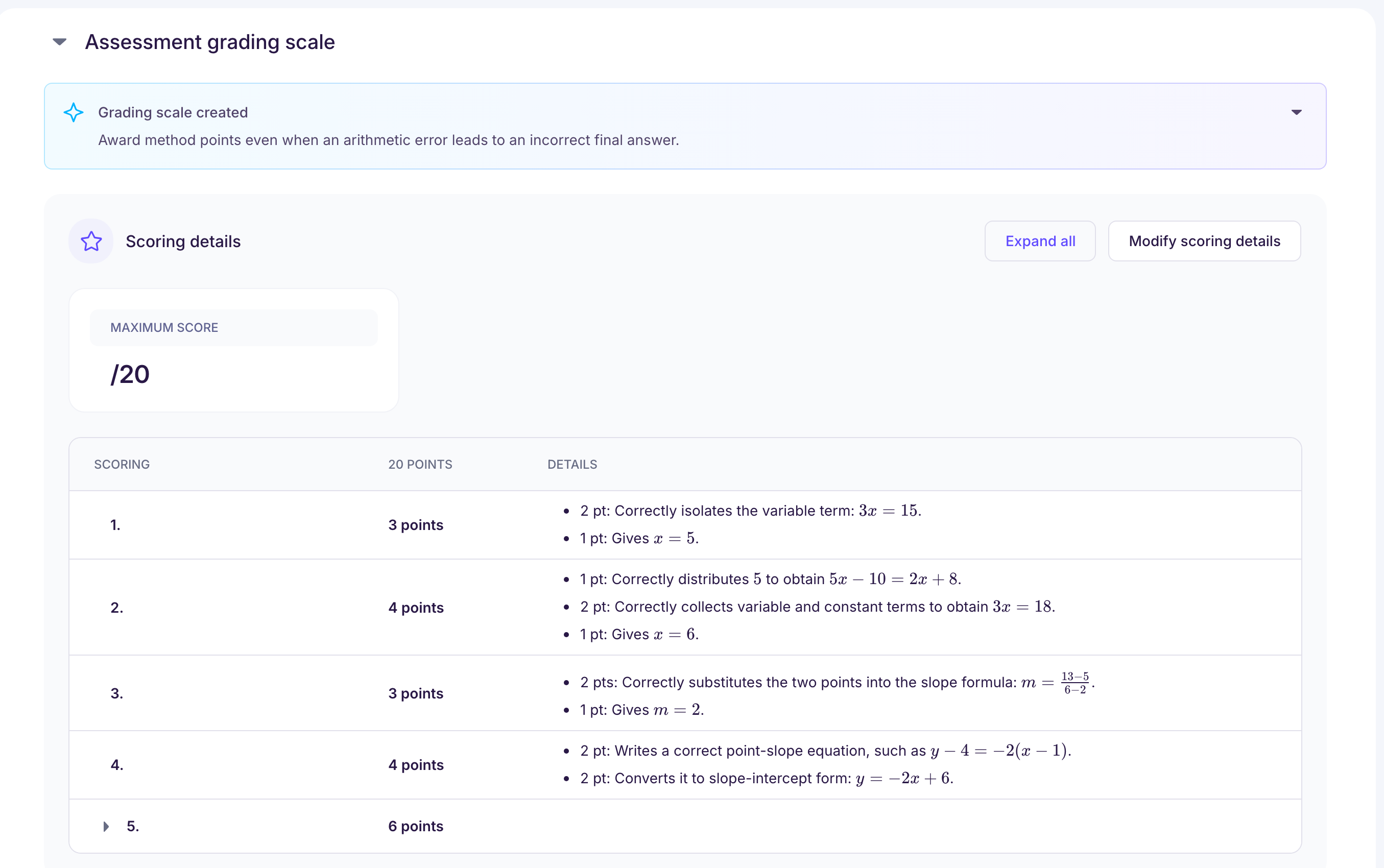
✅ Yes. If you add only part of a grading scale (or none), Ed.ai automatically builds or completes the detailed grading scale from your question sheet and your answer key.
This grading scale:
-
is built on our math skill frameworks, which follow Common Core, AP and state standards,
-
breaks each question down in a consistent way,
-
is fully editable by you before grading.
⚠️ Without a points-based grading scale or a rubric, the assessment is graded and analyzed, but it isn’t scored, with points or by competency (message “No rubrics detected”). To get a score, add a points-based grading scale or a rubric to the assessment documents.
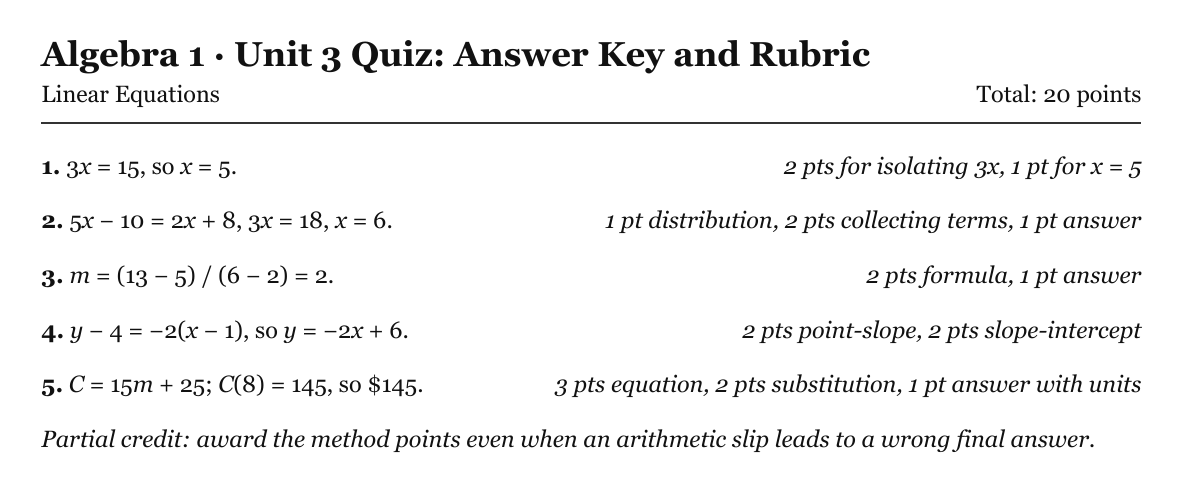
📌 Example of a teacher’s grading scale:
📌 Example of the grading scale Ed.ai structures from that answer key:
💡 To go further, see Sur quels contenus pédagogiques Ed.ai entraîne-t-il ses modèles d’IA ?.