How do I link an existing assessment to a group?
Last updated: October 15, 2026
You can edit an assessment at any time to link it to the right group.
🪜 Steps
-
Open the assessment in Ed.ai.
-
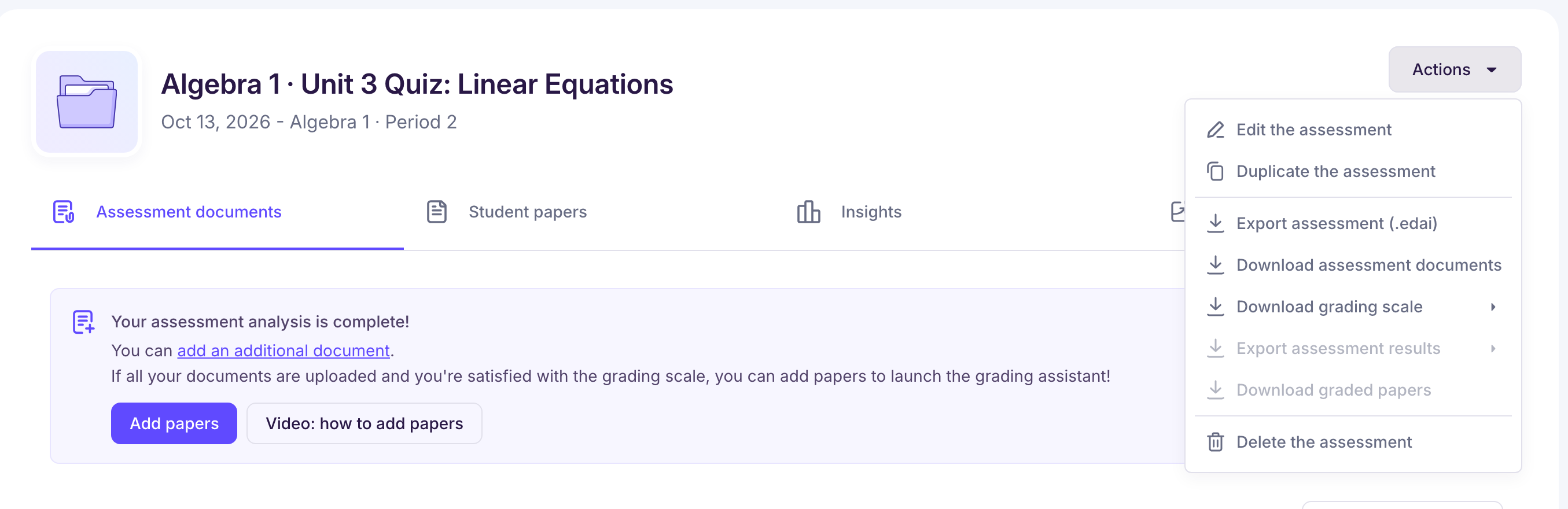
Click the “Actions” menu at the top right of the screen.
-
Select “Edit the assessment”.
-
On the page that opens, choose the right group in the “Group” field.
-
Click “Update assessment” to save your changes.
Good to know: students who aren't in the new group are unlinked from their papers, and Ed.ai warns you before you save. The group can't be changed if the assessment comes from an assignment in your school's LMS, or if you're a co-teacher of the group: only the teacher who created the assessment can change it.